

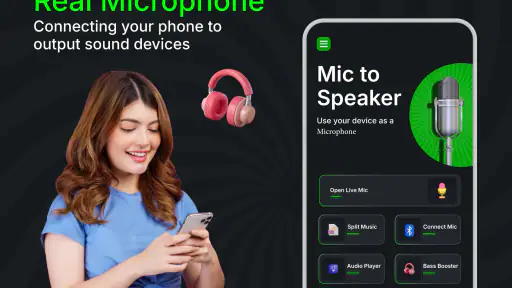
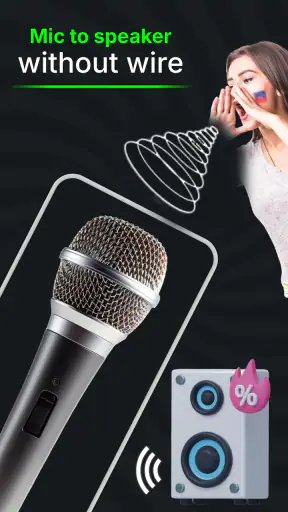
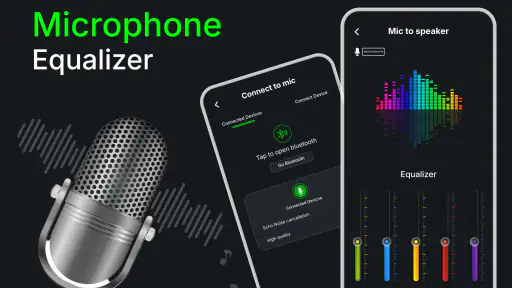
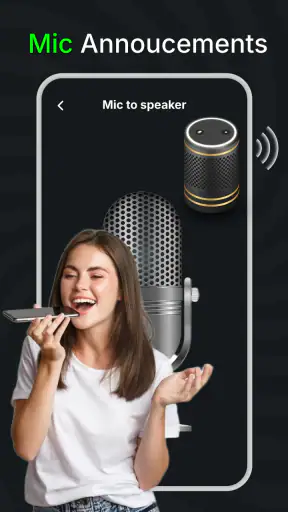
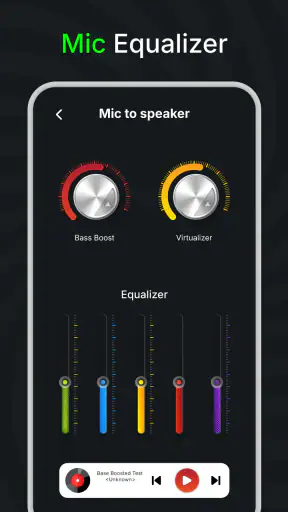
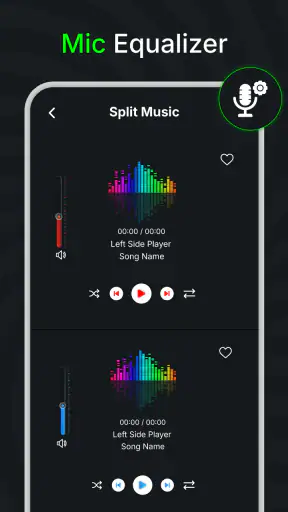
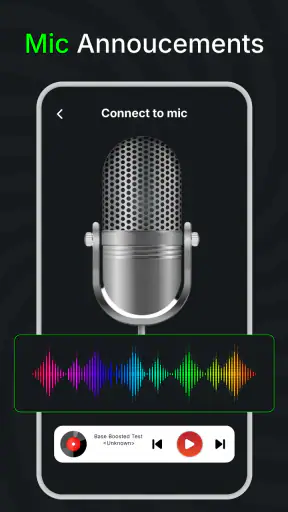
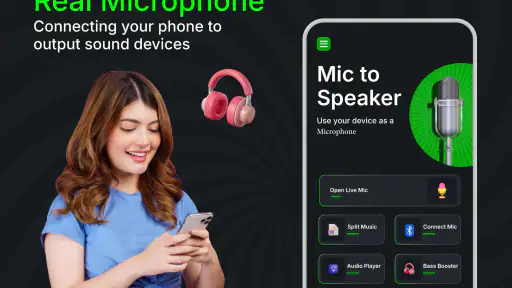
If you need to make your phone act like a simple microphone for a nearby speaker, Mic to Speaker Bluetooth Mic is a focused app worth considering. I see it as a practical tool rather than a complete audio production system: you speak into the phone, connect the sound to a compatible speaker setup, and use the result for situations where a quick voice boost is more useful than a full microphone kit.
That distinction matters. This is a medical-category app in the store, but its actual use is centered on sending microphone audio wirelessly to a speaker. I would not approach it expecting recording tools, studio mixing, karaoke production, or professional sound reinforcement. Its appeal is the short path between having only a phone in your hand and getting your voice out through a speaker.
The app is free to install, carries an Everyone age rating, and comes from GameChief FZ-LLC. It has passed the point of being an obscure experiment, with over one million installs and a 4.1 average from around twelve thousand ratings. Those figures suggest that many people find the basic idea useful, although they should not be mistaken for a guarantee that every phone, speaker, or room will behave identically.
What the app is really for
My first impression is that the best audience is someone who occasionally needs a wireless voice relay and does not want to buy or carry a dedicated microphone. You might use it for a small presentation, a home activity, a casual announcement, or a temporary speaking setup when a speaker is already available. The value comes from convenience: your phone is already with you, and the app gives that phone a microphone-focused job.
The experience is more limited than the phrase “wireless microphone” might suggest. A phone microphone is still a phone microphone, and a Bluetooth speaker is still a consumer speaker. The combination can be useful, but it is not automatically equivalent to a stage microphone connected to a mixer. Distance, room echo, speaker delay, Bluetooth behavior, and the placement of the phone all affect whether the result feels natural.
I recommend thinking about the app as a bridge between two devices, not as a replacement for every traditional audio solution. If your goal is to amplify a short spoken message without setting up equipment, it makes sense. If you need dependable live sound for a large audience, precise monitoring, low latency, or careful control over tone, dedicated hardware remains the safer choice.
One useful expectation to set before opening it is that “wireless” does not mean “instant.” Bluetooth audio can introduce a small delay between speaking and hearing your voice. For announcements, simple instruction, or a relaxed home activity, that may be acceptable. For singing, fast audience interaction, or anything where you monitor yourself closely, even a modest delay can become distracting.
Installing it without overthinking the choice
The current version is 3.1.4 and it supports Android 8.0 or later. That makes it accessible to many existing Android phones, including devices that are not recent flagships. I would still use the phone that has the clearest microphone and the most reliable Bluetooth connection available, because the app cannot compensate for a weak microphone, a damaged speaker, or unstable wireless hardware.
There are optional in-app purchases priced from $9.99 to $20.00 per item. The basic download is free, so I would begin with the no-cost experience and decide whether it solves your specific problem before spending anything. This is especially important for occasional users: if you only need a voice boost once in a while, the free starting point may be enough for your situation.
Before installation, it helps to decide what you are trying to accomplish. “I want my voice to come through a speaker in the same room” is a clear test. “I want a complete public-address system” is a much bigger requirement. Having that boundary in mind prevents disappointment and makes it easier to judge the app fairly after the first attempt.
First setup: a calmer route to the speaker
I would begin by preparing the speaker separately. Turn it on, put it into its normal Bluetooth pairing mode, and make sure it is not already occupied by another phone or tablet. The app is easier to evaluate when the speaker connection is already understood. If pairing fails at the operating-system level, repeatedly tapping inside the app is unlikely to fix the underlying issue.
After the speaker is connected, open the app and look for the straightforward microphone-to-speaker workflow. Keep the phone close to you during this first test, but do not place it directly beside the speaker. A little separation makes it easier to notice whether the sound is being transmitted and helps avoid the unpleasant squeal that can happen when a microphone hears amplified sound from a nearby speaker.
For the first trial, choose a quiet room and speak in a normal voice. I would use a short sentence rather than immediately trying music or singing. A spoken test makes it easier to identify the important questions: can you hear the phone through the speaker, is the delay tolerable, and does the connection remain steady while you hold the phone naturally?
Phone placement makes a bigger difference than many first-time users expect. Holding the microphone area with your palm, covering the bottom edge, or speaking from the wrong side of the device can make the output quieter or muffled. I prefer holding the phone at a comfortable distance from my mouth, with the microphone opening unobstructed, rather than pressing it against my face like a stage microphone.
If the sound is too quiet, moving closer to the phone microphone is usually more sensible than immediately increasing every available volume control. If the speaker is too loud, reduce it before continuing the test. Excessive volume in a small room can create feedback and make the app appear unreliable when the real problem is the acoustic arrangement.
The first meaningful success
A good first success is not a long performance. It is being able to stand in a normal position, say a few sentences, and hear them clearly enough through the speaker without constantly touching the phone. Once that works, try walking a short distance while continuing to speak. This reveals whether the setup is practical for the room instead of merely functional when both devices are sitting next to each other.
I would then test the exact situation you care about. For an announcement, read the announcement once. For a presentation, speak while looking away from the phone. For a home activity, ask another person to stand where the listener will be and describe whether the voice sounds understandable. This listener perspective is more useful than judging the sound only from directly beside the speaker.
There is also a simple but important trade-off between volume and clarity. Louder is not always better. A speaker pushed too hard can make speech harsh, while a phone held too far away can make the signal weak before it reaches the speaker. I get better results by keeping the phone microphone reasonably close and using moderate speaker volume, especially in rooms with hard walls.
For a small gathering, I would prepare the setup before people arrive. Pair the speaker, open the app, check the connection, and say a test sentence. This avoids trying to troubleshoot Bluetooth while everyone is waiting. It also gives you a chance to discover whether the delay feels acceptable before you depend on the arrangement.
One less obvious use is temporary assistance in a quiet indoor space. If someone needs to speak while keeping both hands mostly free, the phone can serve as a quick voice relay when a speaker is already available. I would not treat this as a medical or accessibility guarantee, but it can be a convenient experiment for a particular room and listener. The important step is to test with the actual person who needs to hear the voice, rather than assuming the result from the app screen alone.
Common confusion during live use
The most common confusion is expecting the app to create sound from nowhere. A connected speaker is still necessary for the wireless output, and the speaker’s own volume, battery, input state, and connection status remain part of the setup. If the phone shows activity but the speaker is silent, I would check the speaker connection and selected output before blaming the microphone function.
Another confusion is mistaking delay for a fault. A slight gap between speaking and hearing the voice can be a characteristic of the wireless path. If you hear a delayed version of yourself, avoid speaking directly toward the speaker and do not keep raising the volume in an attempt to remove the delay. For normal announcements, the delay may be easy to ignore; for singing or rapid back-and-forth conversation, it may make this arrangement the wrong tool.
Feedback is a separate issue. The familiar high-pitched squeal happens when the speaker’s output reaches the phone microphone and gets sent around the system again. The practical fixes are to increase the distance between phone and speaker, point the phone away from the speaker, lower the volume, and avoid standing directly in front of the speaker. These are room and positioning solutions, not settings I would expect the app alone to solve.
Users may also wonder whether the phone can be used normally while the microphone function is active. I would not plan an important call, video, or audio recording at the same time. A phone has limited audio pathways, and switching between apps or starting another audio task can change how the microphone or speaker connection behaves. For a reliable session, keep the phone dedicated to this job.
Battery use is another practical consideration. Live microphone transmission keeps the phone working continuously, while Bluetooth keeps the wireless connection active. For a short session this is rarely a concern, but I would start with a comfortably charged phone before using it away from a charger. A low battery is a poor time to discover that your temporary microphone is needed for longer than expected.
The app’s medical store category may also confuse some readers. I would judge it by its audio utility, not assume that the category means it provides hearing assessment, clinical communication, diagnosis, or treatment. It is better suited to sending spoken audio to a speaker than to replacing any specialized medical device or professional assistance.
Where it beats ordinary alternatives
Compared with simply speaking without amplification, the advantage is obvious in a room where a phone speaker or Bluetooth speaker can make the voice easier to hear. Compared with buying a dedicated wireless microphone, the advantage is lower commitment: you can test the idea with equipment you may already own. That makes it attractive for occasional, informal needs.
Compared with a wired microphone, the setup can feel cleaner because there is no microphone cable running between you and the speaker. The trade-off is that wired equipment is often easier to predict once connected, while wireless audio can introduce pairing steps and delay. If you are presenting in a place where reliability matters more than convenience, I would favor the wired or dedicated option.
Compared with a full public-address system, this app is much simpler but far less configurable. A proper system may offer a better microphone, stronger projection, equalization, monitoring, and more dependable control. Those strengths matter for a large room, outdoor use, music, or a formal event. This app makes more sense when the audience is small, the environment is manageable, and the goal is quick setup.
Compared with a standard voice recorder, the purpose is different. A recorder captures audio for later use, while this workflow is about hearing the voice through a speaker as it happens. If you need a file to edit, share, or archive, choose a recording-focused tool instead. If you need immediate playback through a separate speaker, this app is the more direct experiment.
There is also a trade-off against using the speaker’s built-in microphone mode, if that speaker offers one. A built-in solution may be simpler because it is designed as one product, while the phone-based approach lets you use the phone you already understand and carry. The better choice depends on which device gives you more predictable microphone placement and connection behavior.
Who should use it, and who should skip it
I would recommend trying it if you need a free starting point for occasional voice amplification, already have a compatible Bluetooth speaker, and are comfortable testing the setup in the room where it will be used. It is especially sensible for a first-time user who wants to find out whether a phone can cover a small practical need before buying equipment.
I would skip it as a primary solution for a large audience, outdoor announcements, professional performances, or any situation where a failed connection would cause serious disruption. I would also look elsewhere if you need a clean recording, advanced sound shaping, multiple microphones, dependable low-latency monitoring, or a guaranteed professional audio result.
People who are sensitive to hearing a delayed version of their own voice should test it early. The same is true for singers and presenters who rely on immediate feedback. A short spoken test may feel fine, while singing exposes the delay immediately. That is why I would not judge suitability from the app’s name alone; I would judge it from the exact activity you plan to perform.
My final take after using the workflow
What I like most is the clear practical idea: turn a phone into a temporary microphone source for a speaker without requiring a dedicated microphone purchase at the outset. The free entry point makes experimentation easy, and the app’s broad reach shows that the concept has found an audience. For a first-time user, the path to a useful result is manageable when the speaker is paired first and the room is tested before the real activity.
What keeps me from calling it a universal audio solution is the dependence on the surrounding setup. Bluetooth pairing, speaker quality, microphone placement, acoustic feedback, and delay all shape the outcome. None of those concerns makes the app pointless, but they do mean that success comes from using it in the right conditions rather than expecting it to behave like professional equipment.
My advice is to perform one honest rehearsal: connect the speaker, speak from the position you will actually use, walk a little, and ask someone else whether the voice is clear. If that test passes, this can be a handy tool for small, informal situations. If it fails because of delay, feedback, or weak projection, spend your time looking at a dedicated microphone or a wired setup instead.
Overall, I see Mic to Speaker Bluetooth Mic as a useful convenience app with a narrow but understandable purpose. It is free to begin, rated for Everyone, and maintained by GameChief FZ-LLC, with its current release supporting Android 8.0 and later. I would recommend it to someone who wants to test a phone-and-speaker arrangement quickly, while being honest that the room, the Bluetooth connection, and the speaker matter just as much as the app.


